A Health Dashboard That Stays on My Laptop
I combined my Oura data with Google Calendar to explore health patterns alongside my daily schedule. The demo uses synthetic examples.
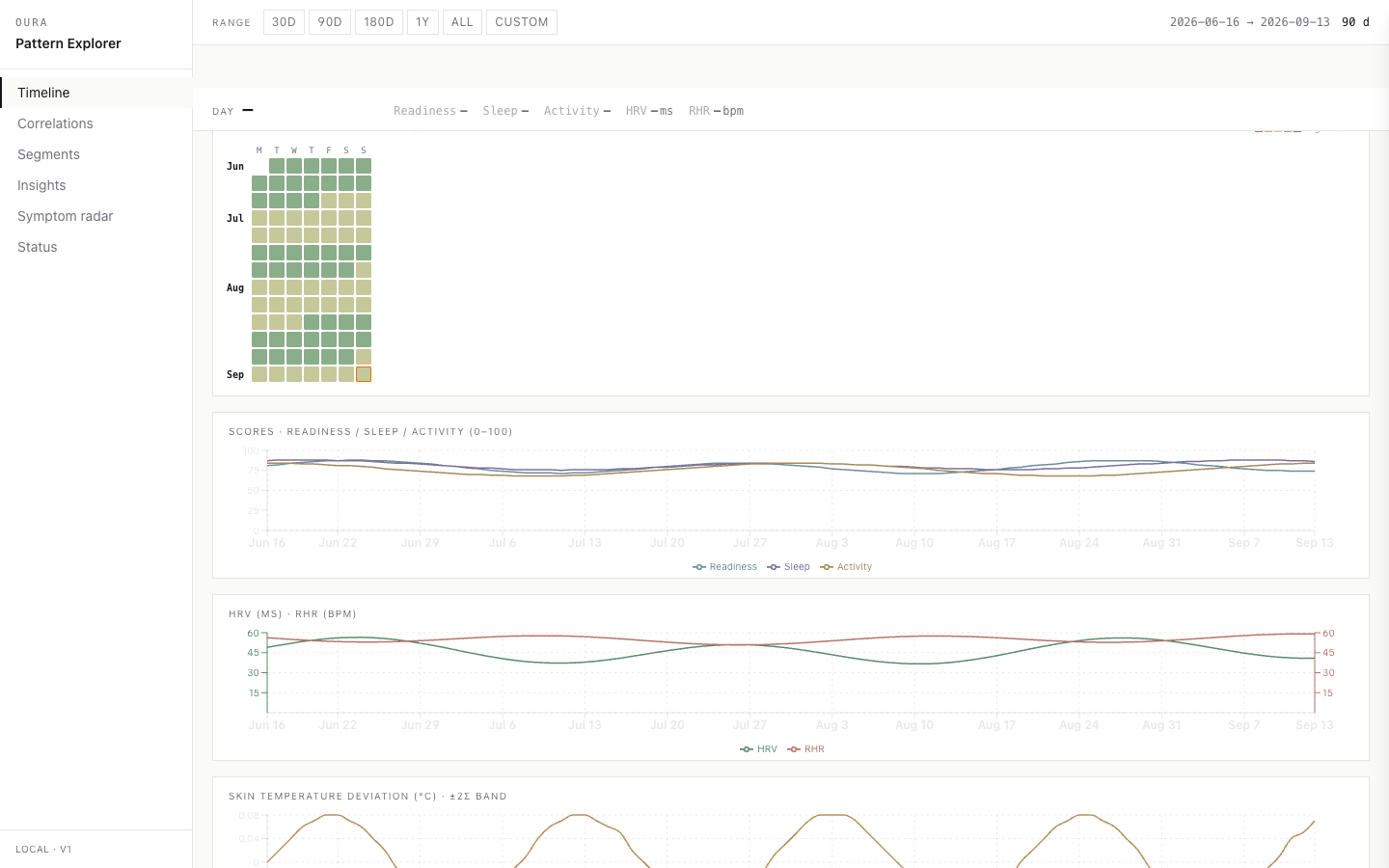
I wanted to understand my Oura data alongside what was happening in my life. I overlaid it with my Google Calendar history so I could look at health signals and my schedule together, rather than interpreting wearable scores in isolation.
The screenshots below come from the actual application, populated with seeded synthetic data. They contain no real values, locations, calendar text, health history, or personal patterns.
Adding context with Google Calendar
Oura gives me measurements; my calendar adds context about how I planned to spend my time. I aligned the two on a shared timeline so I could inspect changes in my Oura signals alongside calendar events.
I also used calendar-derived tags to compare groups of days and explore patterns across time lags. That gave me more specific questions to investigate than a score alone. A calendar entry records a plan, though—not necessarily what happened—and an overlap does not tell me what caused a change.
The privacy boundary came first
Health and calendar data can reveal routines, relationships, stress, travel, and symptoms. That changed the product decision before it changed the code: this project would have no public demo with real data.
The app ingests Oura data, Google Calendar history, and optional weather context through Python jobs. It normalizes them into DuckDB, serves a read API on 127.0.0.1, and renders a React dashboard locally.
Credentials live in the operating system keychain. Raw Oura payloads are treated as short-lived debugging material and purged before the source retention limit; derived facts can remain until I delete them. There is no app cloud database and no telemetry layer.
A tour of the six pages
I use each page for a different question. All screenshots in this walkthrough use synthetic data; the patterns shown are examples, not findings about my health. Click an image to view it at full size.
1. Timeline: what changed, and when?
I start here to line up readiness, sleep, activity, and other signals by date. The calendar overview helps me find a day to inspect.
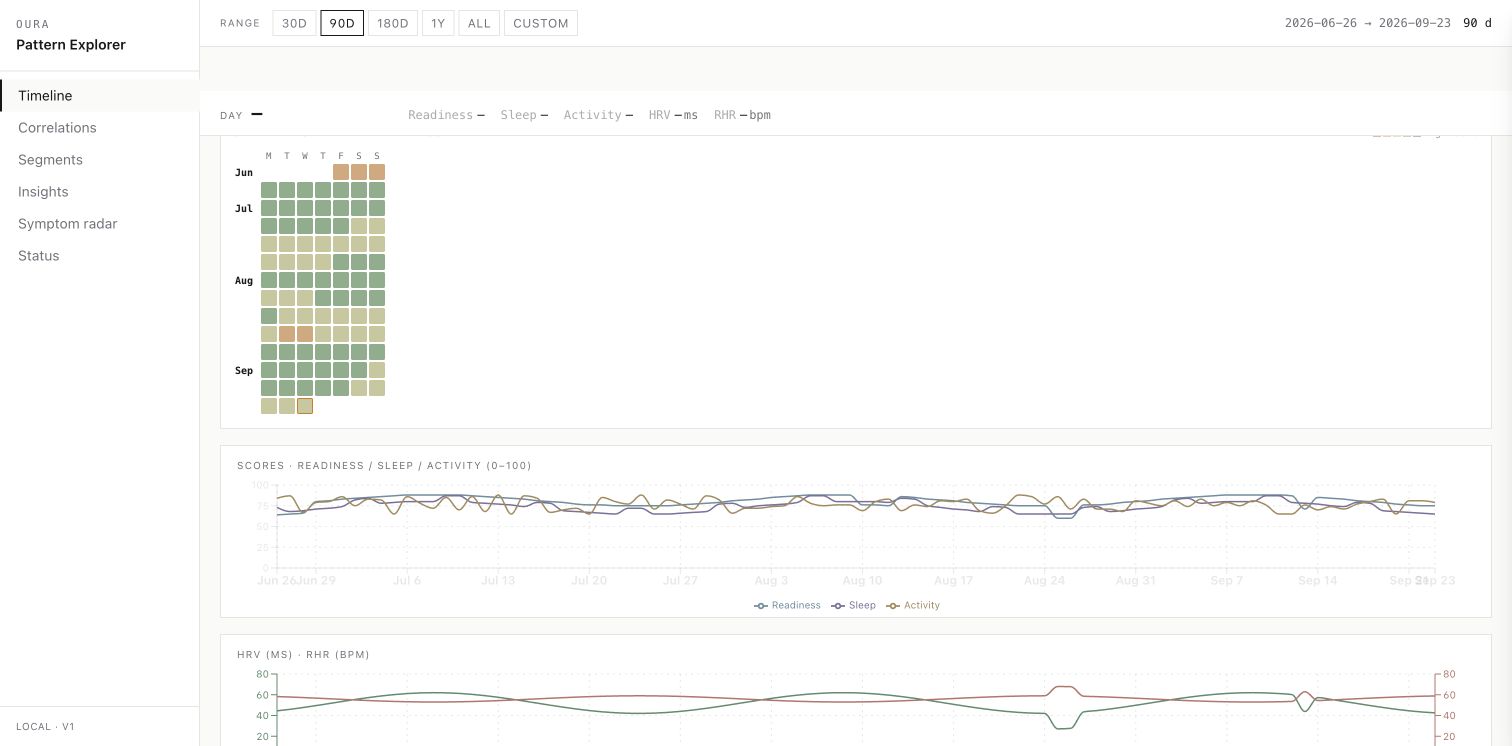
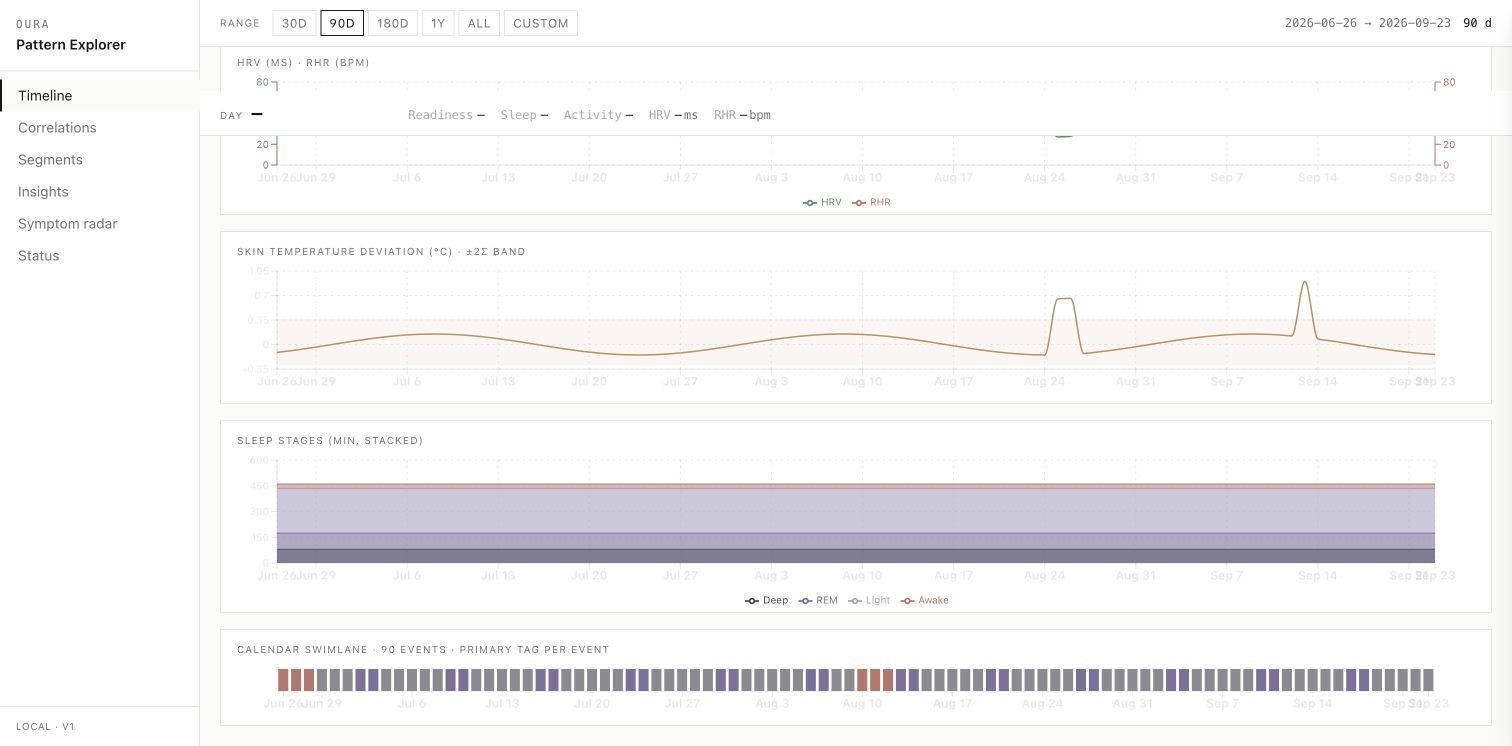
Further down, I can compare the health charts with Google Calendar events on the same date axis.
2. Correlations: which signals move together?
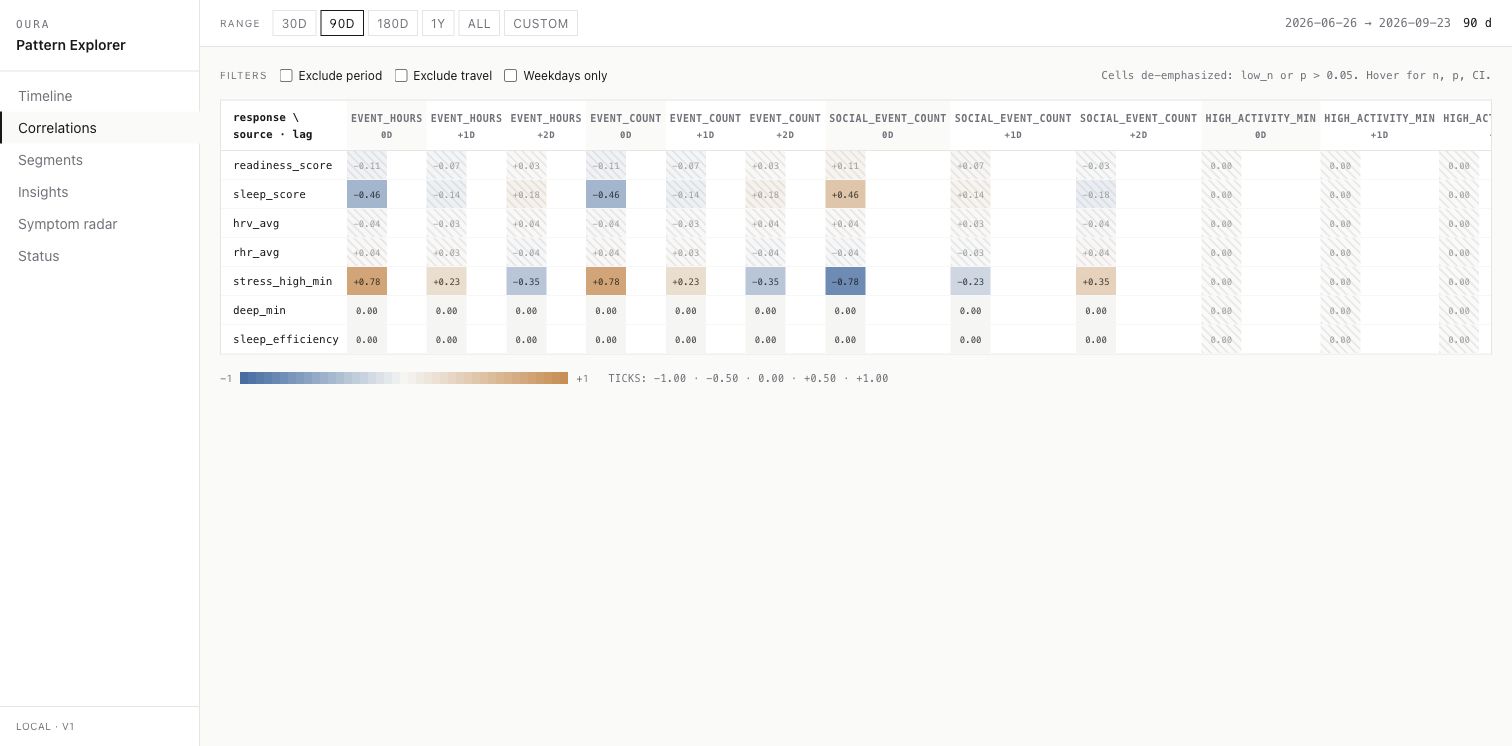
I use the heatmap to explore relationships between health metrics and context such as scheduled event hours. The lag columns let me look at the same day and the following days, with sample size and uncertainty available for each comparison.
3. Segments: how do groups of days compare?
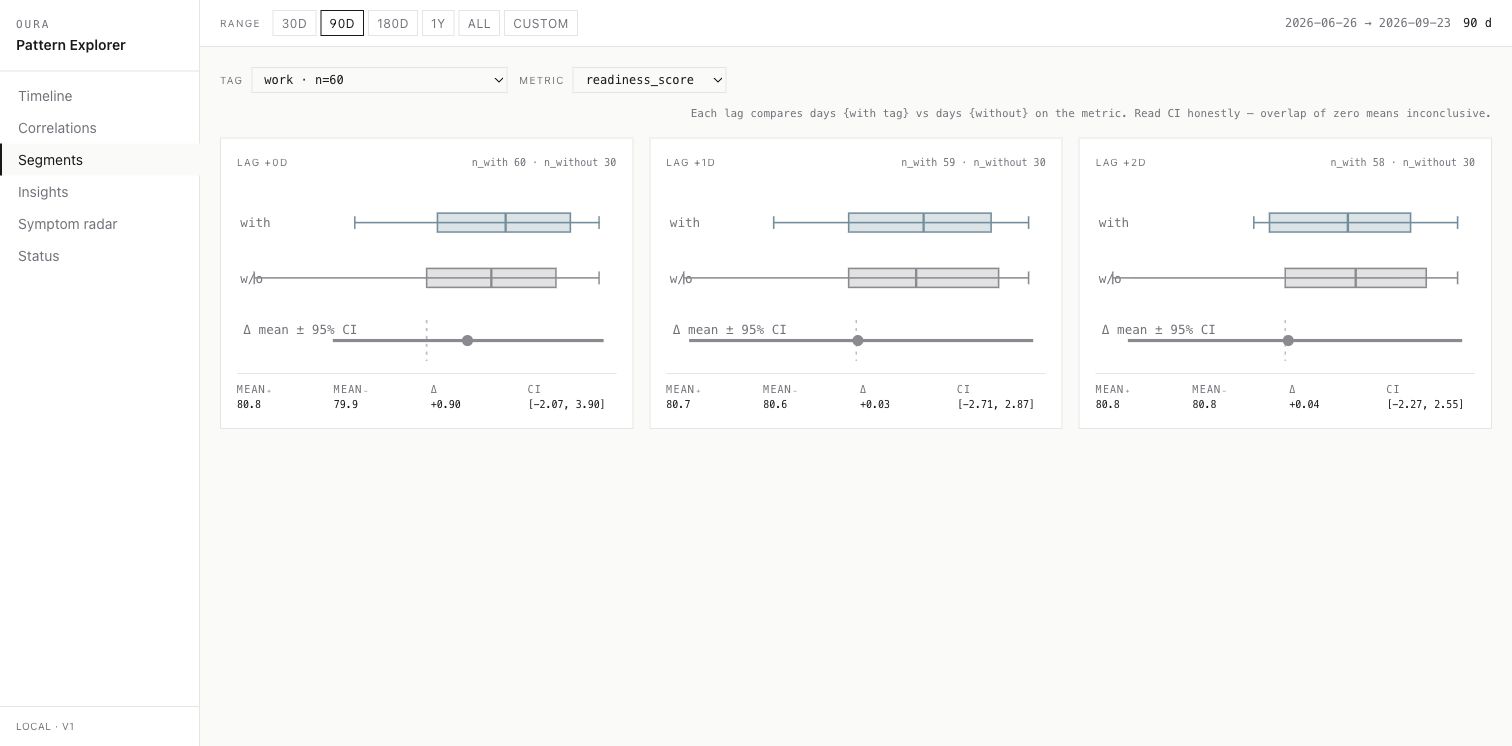
I select a calendar or Oura tag and compare days with and without it. Here, the synthetic work tag splits the sample into two groups; the distributions and confidence intervals help me see how much they overlap.
4. Insights: a closer look at specific questions
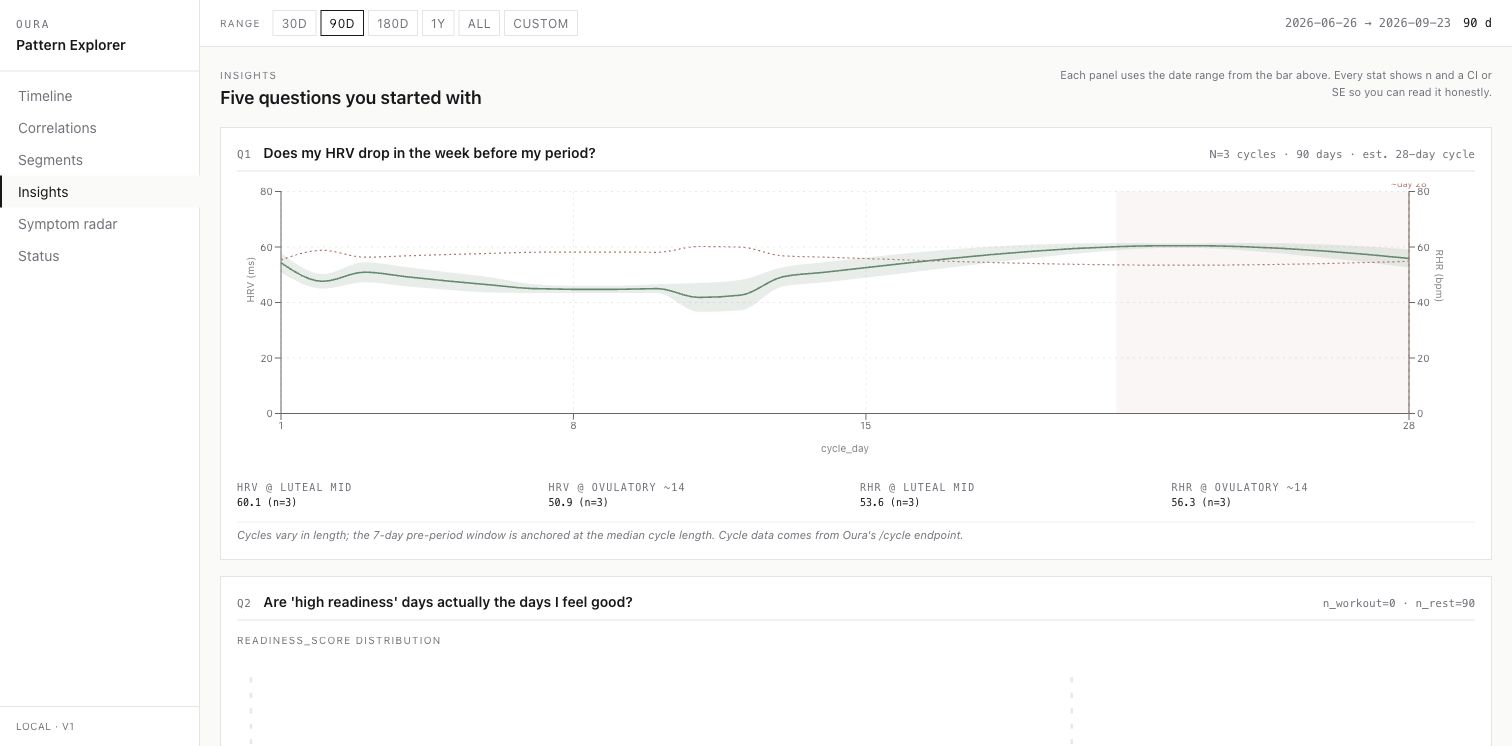
I grouped recurring questions into panels covering cycle patterns, readiness and workouts, weather, calendar busyness, and travel. Each panel brings the relevant comparison together so I can inspect it without rebuilding the view.
5. Symptom radar: what contributed to a flag?
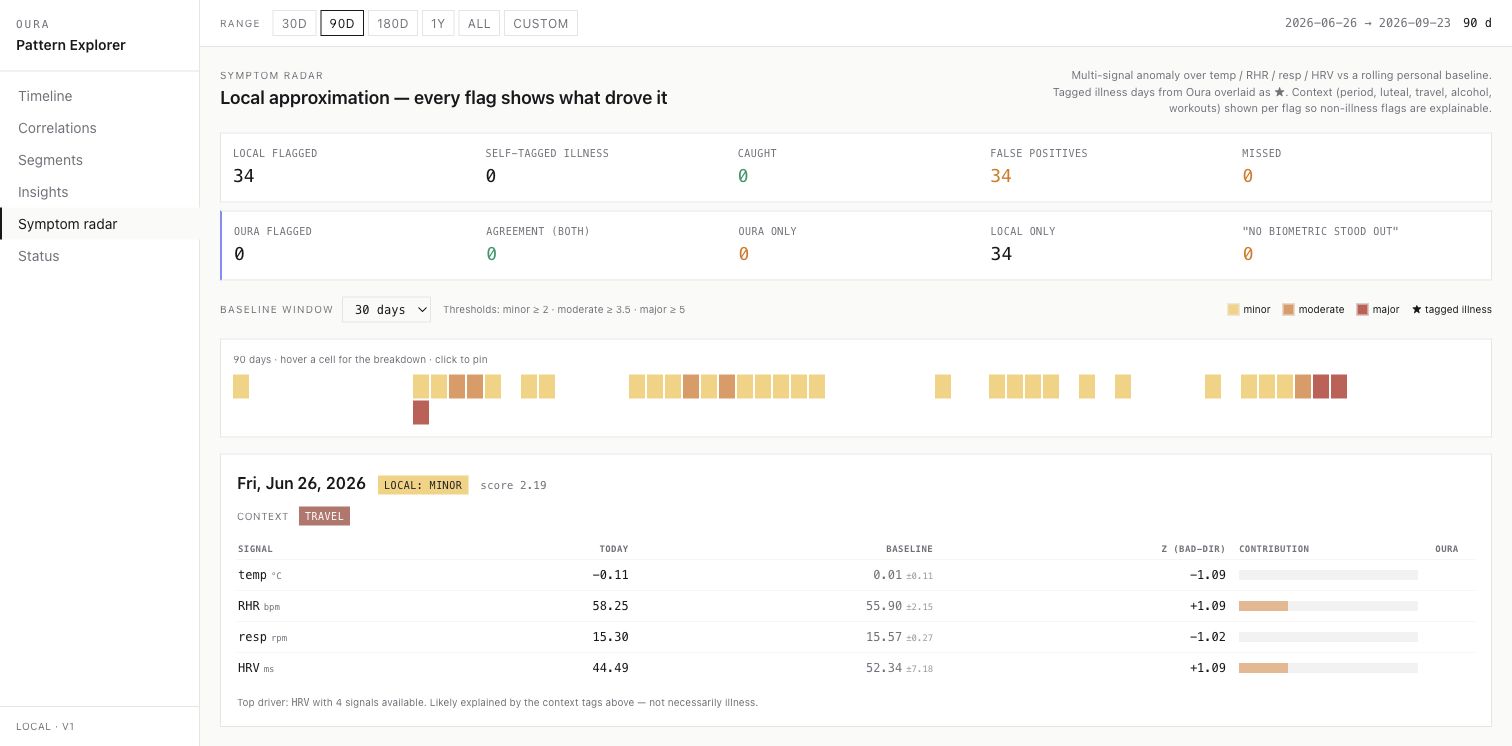
I use this page to inspect deviations from a rolling personal baseline. It shows which signals contributed to a flag and the surrounding context. Despite the page name, I treat it as a way to examine unusual readings, not a diagnosis.
6. Status: is the data up to date?
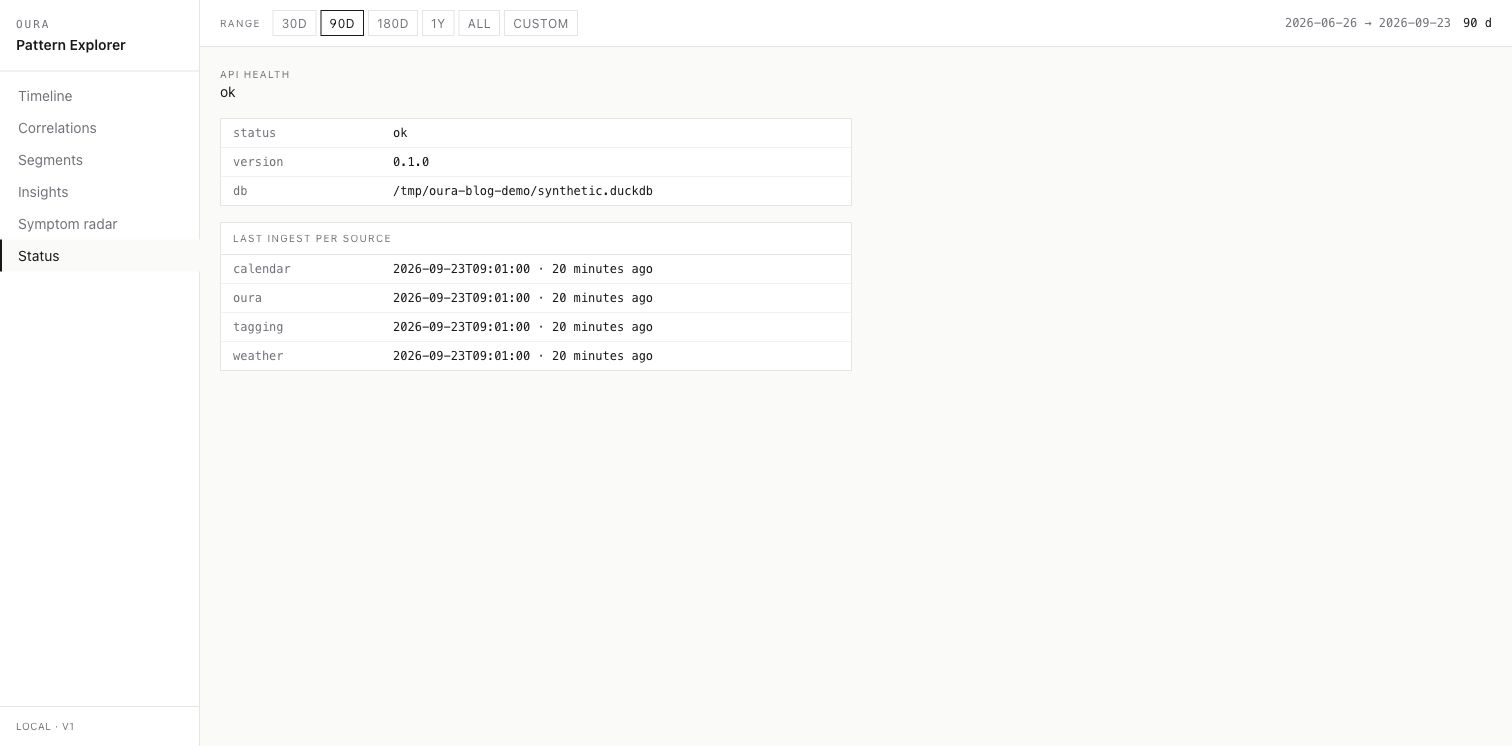
Before interpreting a gap, I check whether the API is healthy and when each source last finished ingesting. This helps me distinguish a missing import from a change in the data itself.
I keep some calendar event text locally so the tagger can produce rollups. It stays in my local system and is not published or sent to an app cloud database.
Correlation as a prompt to inspect
A personal dataset is small. Once it is filtered by tags, shifted across lags, or split into segments, the sample gets smaller still. A bright heatmap cell can become a story much faster than it becomes evidence.
The correlation API can return Pearson and Spearman values, sample counts, confidence intervals, and low-sample warnings. Segment views show distributions rather than only an average. The design tries to slow interpretation down: a pattern is a question worth checking, not a causal answer.
The signal-deviation view follows the same rule. It compares selected signals with rolling personal baselines and exposes which inputs contributed to a flag. It is an explainability tool, not a diagnosis, illness predictor, or substitute for medical care.
Boring engineering is a feature
The backend uses explicit migrations and rerunnable ingestion jobs. Oura, calendar, weather, and derived tagging can fail independently, so audit rows and status checks keep partial failures visible. Tests cover migrations, mapping, idempotent ingestion, API shapes, statistics, and rollups.
None of that is glamorous. It is exactly what I want around sensitive data: local storage, clear schemas, visible failure states, and deletion paths I control.
This project cannot prove causality, diagnose anything, or generalize beyond one private dataset. Its ambition is different. It preserves enough context to ask better questions without asking that context to leave the laptop.